> ## Documentation Index
> Fetch the complete documentation index at: https://factory-changelog-jun24.mintlify.site/llms.txt
> Use this file to discover all available pages before exploring further.
# AutoWiki in the Factory App
> Browse, search, and manage Wikis from the Factory App.
The AutoWiki view in the Factory App at [app.factory.ai/wiki](https://app.factory.ai/wiki) lets you browse, search, and manage generated Wikis for all your repositories in one place.
## What you'll see
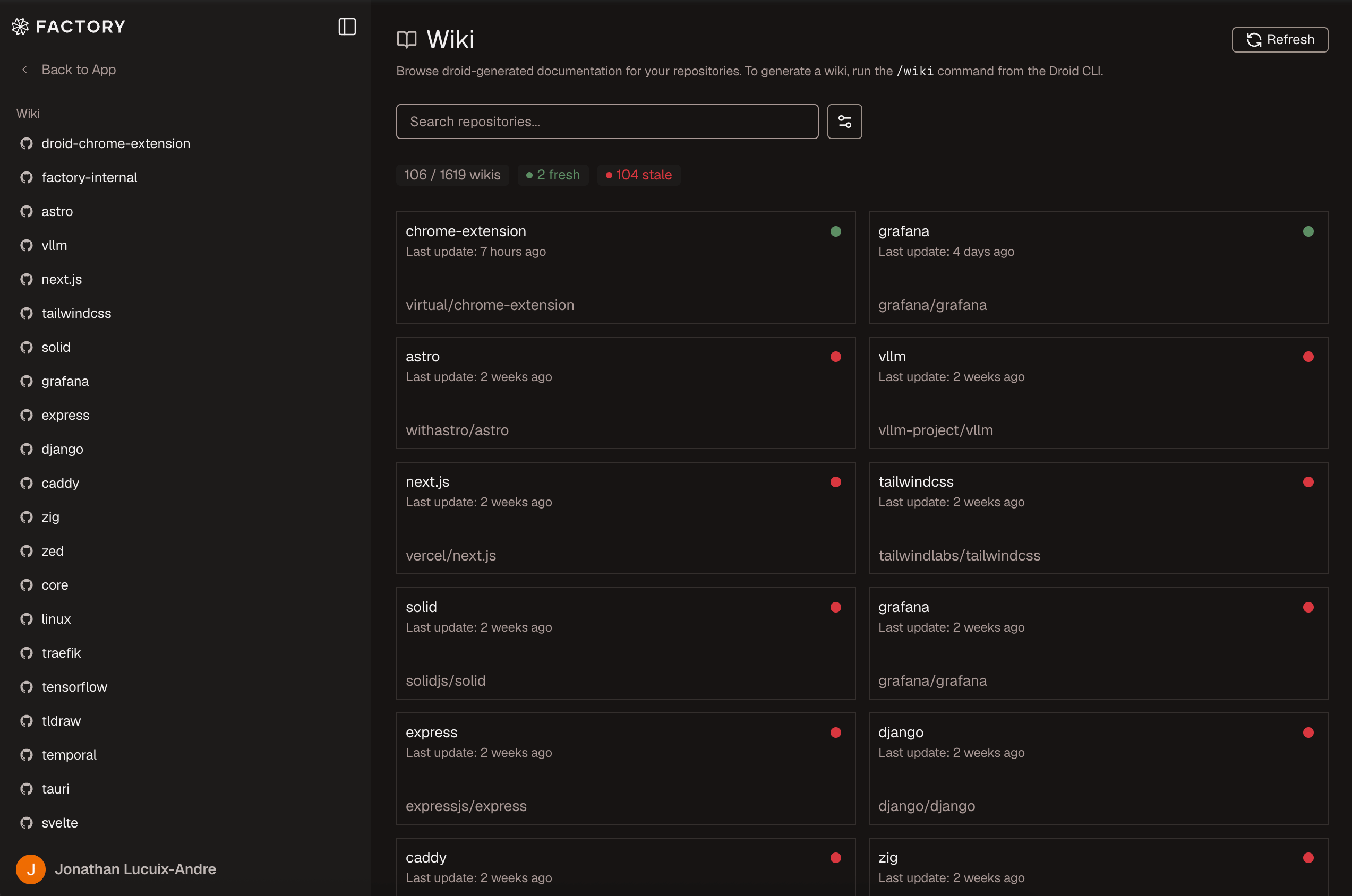
The top-level Wiki view lists every generated repository Wiki, with freshness indicators and controls for searching, filtering, and refreshing documentation.
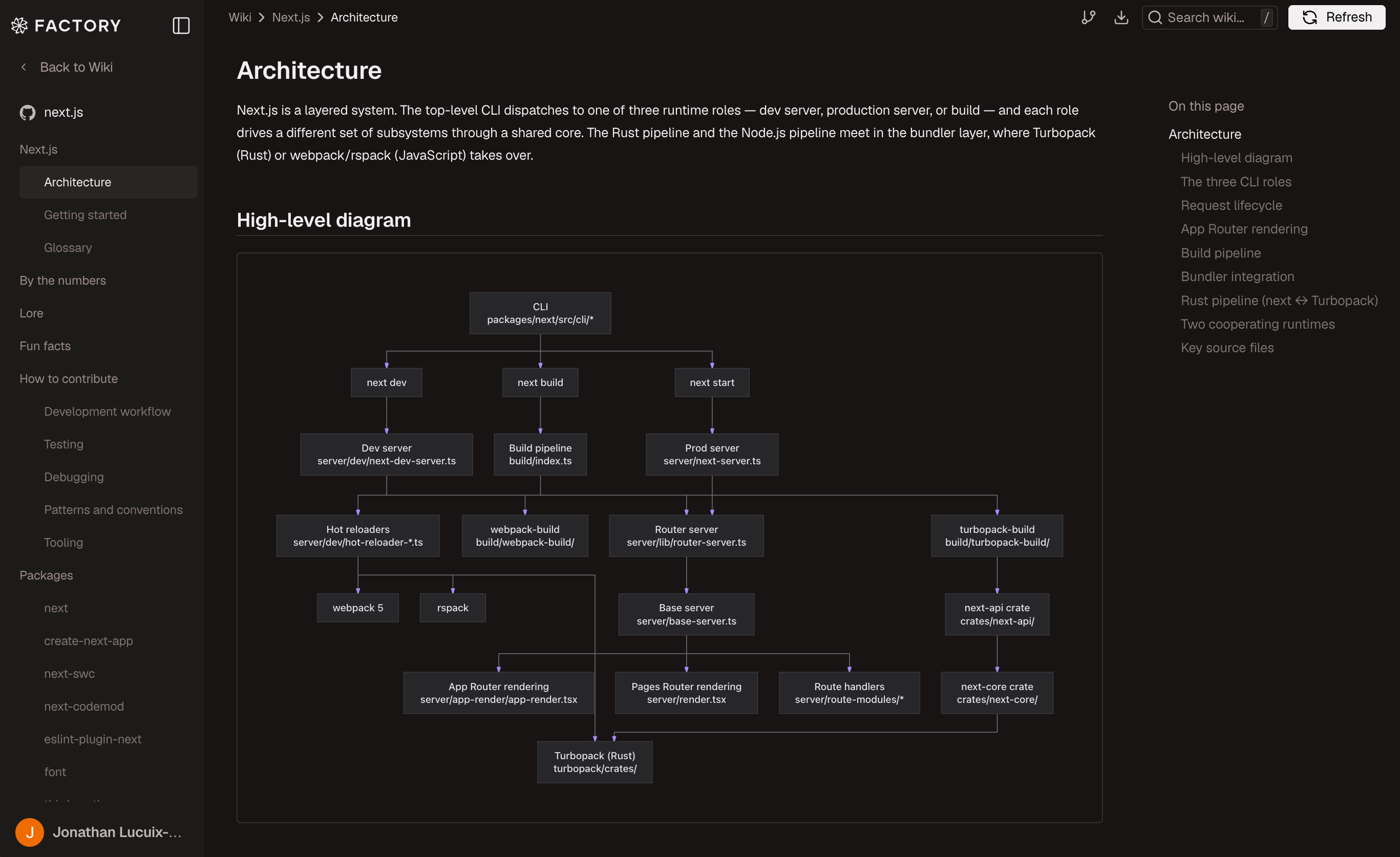
 Open a repository to read generated pages with navigation, page outlines, search, export, and refresh controls.
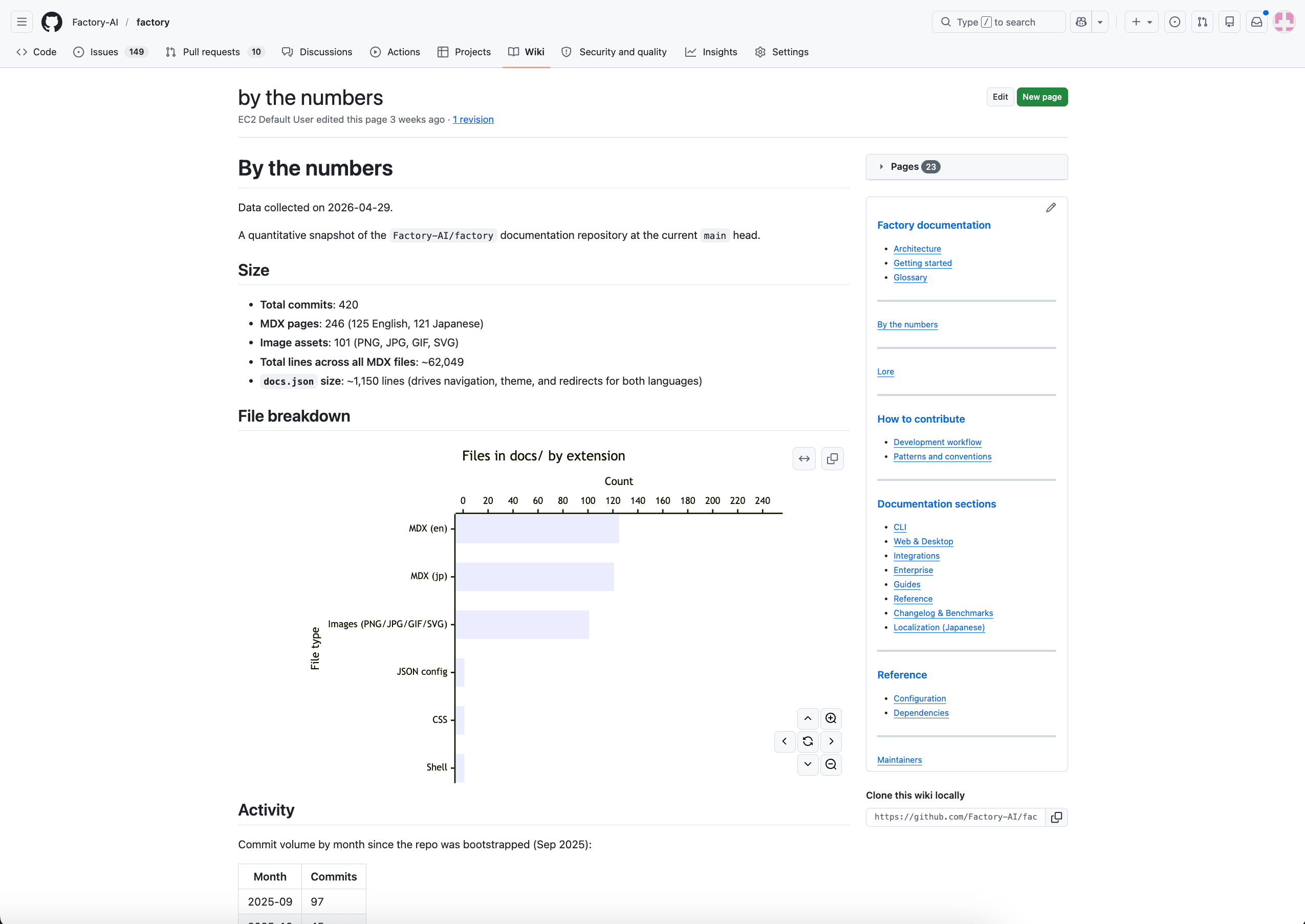
 When GitHub Wiki sync is enabled, the same generated pages are also available from the repository's GitHub Wiki tab.
 ## Browsing your Wikis
The main AutoWiki page shows a table of repositories with generated Wikis. Each row displays the repository name, last refresh date, and branch. Click a repository to open its Wiki.
### Wiki reader
The Wiki reader provides:
* **Markdown rendering** -- Full-fidelity rendering of the generated documentation with syntax-highlighted code blocks
* **Table of contents** -- A sidebar outline of the current page for quick navigation
* **Breadcrumbs** -- Hierarchical navigation showing your position in the page tree
* **Search** -- Full-text search across all generated pages
* **Version history** -- A dropdown to browse previous Wiki generations and compare how documentation has evolved
* **Export** -- Download the generated documentation as markdown files
## Refreshing a Wiki
Click the **Refresh** button on a Wiki page to regenerate documentation. A modal presents two options:
Regenerate the Wiki once using the latest code on the default branch.
Install a CI action that refreshes the Wiki on every push to the
default branch.
After choosing a mode, select how to run the generation:
| Method | Description |
| --------- | ----------------------------------------------------------------------------------------------------- |
| **Local** | Copies the Droid CLI command (`/wiki` or `/install-wiki`) for you to paste into a local Droid session |
| **Cloud** | Runs the generation on a cloud template linked to the repository |
### Batch refresh
From the top-level AutoWiki page at [app.factory.ai/wiki](https://app.factory.ai/wiki), you can refresh multiple repositories at once:
1. Click **Refresh** to enter selection mode
2. Select the repositories you want to refresh
3. Choose **One-time** or **Recurring**
4. Select a **Droid Computer** to run the work
## Browsing your Wikis
The main AutoWiki page shows a table of repositories with generated Wikis. Each row displays the repository name, last refresh date, and branch. Click a repository to open its Wiki.
### Wiki reader
The Wiki reader provides:
* **Markdown rendering** -- Full-fidelity rendering of the generated documentation with syntax-highlighted code blocks
* **Table of contents** -- A sidebar outline of the current page for quick navigation
* **Breadcrumbs** -- Hierarchical navigation showing your position in the page tree
* **Search** -- Full-text search across all generated pages
* **Version history** -- A dropdown to browse previous Wiki generations and compare how documentation has evolved
* **Export** -- Download the generated documentation as markdown files
## Refreshing a Wiki
Click the **Refresh** button on a Wiki page to regenerate documentation. A modal presents two options:
Regenerate the Wiki once using the latest code on the default branch.
Install a CI action that refreshes the Wiki on every push to the
default branch.
After choosing a mode, select how to run the generation:
| Method | Description |
| --------- | ----------------------------------------------------------------------------------------------------- |
| **Local** | Copies the Droid CLI command (`/wiki` or `/install-wiki`) for you to paste into a local Droid session |
| **Cloud** | Runs the generation on a cloud template linked to the repository |
### Batch refresh
From the top-level AutoWiki page at [app.factory.ai/wiki](https://app.factory.ai/wiki), you can refresh multiple repositories at once:
1. Click **Refresh** to enter selection mode
2. Select the repositories you want to refresh
3. Choose **One-time** or **Recurring**
4. Select a **Droid Computer** to run the work
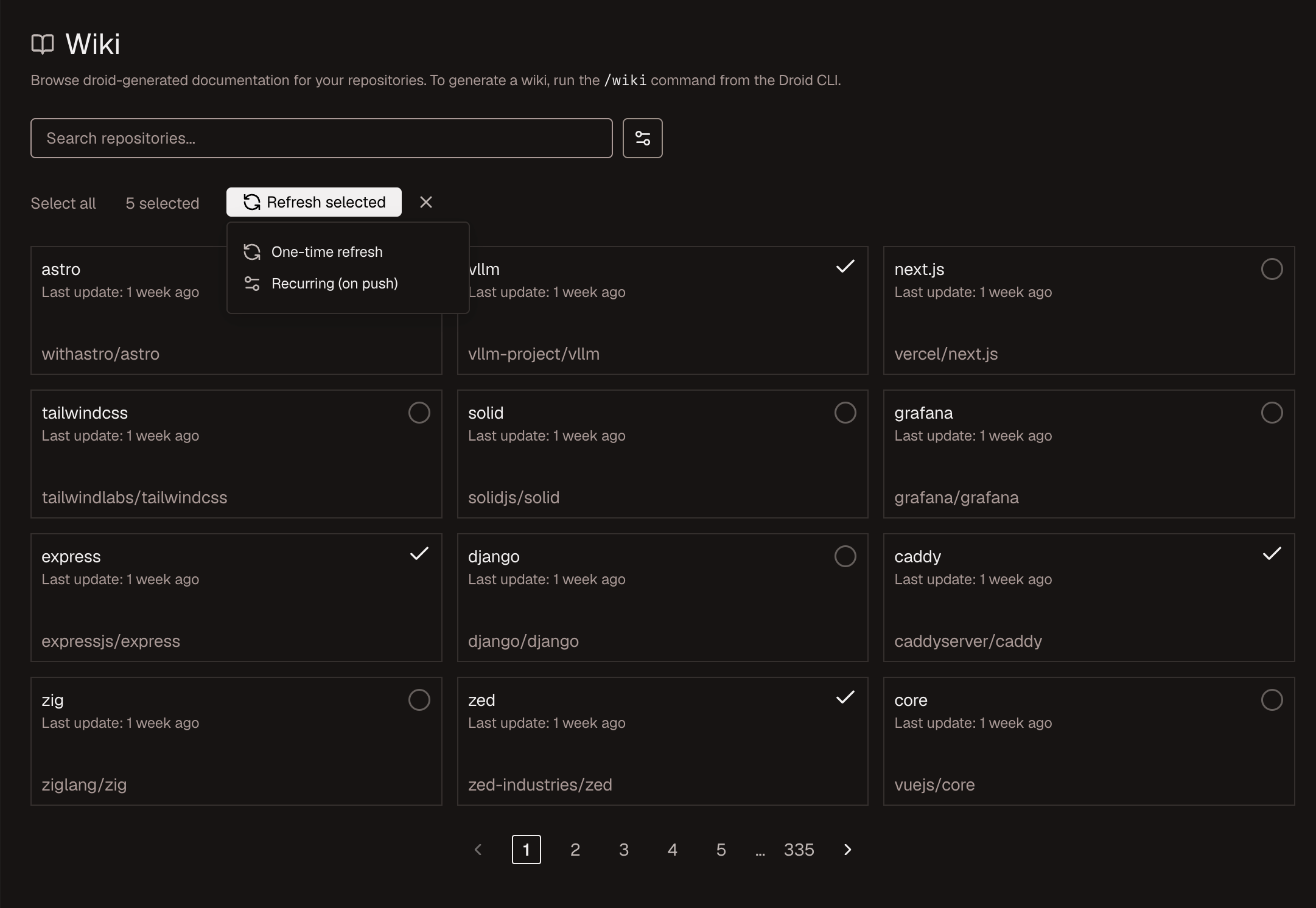 Droid clones each repository on the selected Droid Computer and generates Wikis, or sets up recurring generation, running the jobs in parallel where possible.
## See also
* [Generate a Wiki](/cli/features/wiki/generate) -- Produce a Wiki from the Droid CLI with `/wiki`
* [Set up AutoWiki refresh](/cli/features/wiki/auto-refresh) -- Keep Wikis current with a CI action
* [AutoWiki overview](/cli/features/wiki/overview) -- How all the pieces fit together
Droid clones each repository on the selected Droid Computer and generates Wikis, or sets up recurring generation, running the jobs in parallel where possible.
## See also
* [Generate a Wiki](/cli/features/wiki/generate) -- Produce a Wiki from the Droid CLI with `/wiki`
* [Set up AutoWiki refresh](/cli/features/wiki/auto-refresh) -- Keep Wikis current with a CI action
* [AutoWiki overview](/cli/features/wiki/overview) -- How all the pieces fit together